> ## Documentation Index
> Fetch the complete documentation index at: https://help.getdqd.com/llms.txt
> Use this file to discover all available pages before exploring further.
# Booking Payments
> Managing Payments on Bookings
# Understanding Booking Payments vs Upsells
In DQ, booking payments and upsell items are handled separately to ensure clarity in reporting and operations.
## Booking Payments
* **Paid in advance**
* Typically includes:
* Cover charge
* Included drinks or items
## Upsell Items
* **Purchased during the guest’s visit**
* Added via the **table menu**
* Includes any additional items the guest orders on the night
## Important
> Only staff with the **"Manage Bookings"** permission can make changes to booking details.
**We strongly recommend** revoking this permission from anyone who is not explicitly authorised to:
* Modify bottle prices
* Adjust door charges
# Setting Booking Payments
Booking payments are set in the *"Details"* section of a new booking in both the CMS and the Operations app.\
These payments can be adjusted by staff with the **"Manage Bookings"** permission.
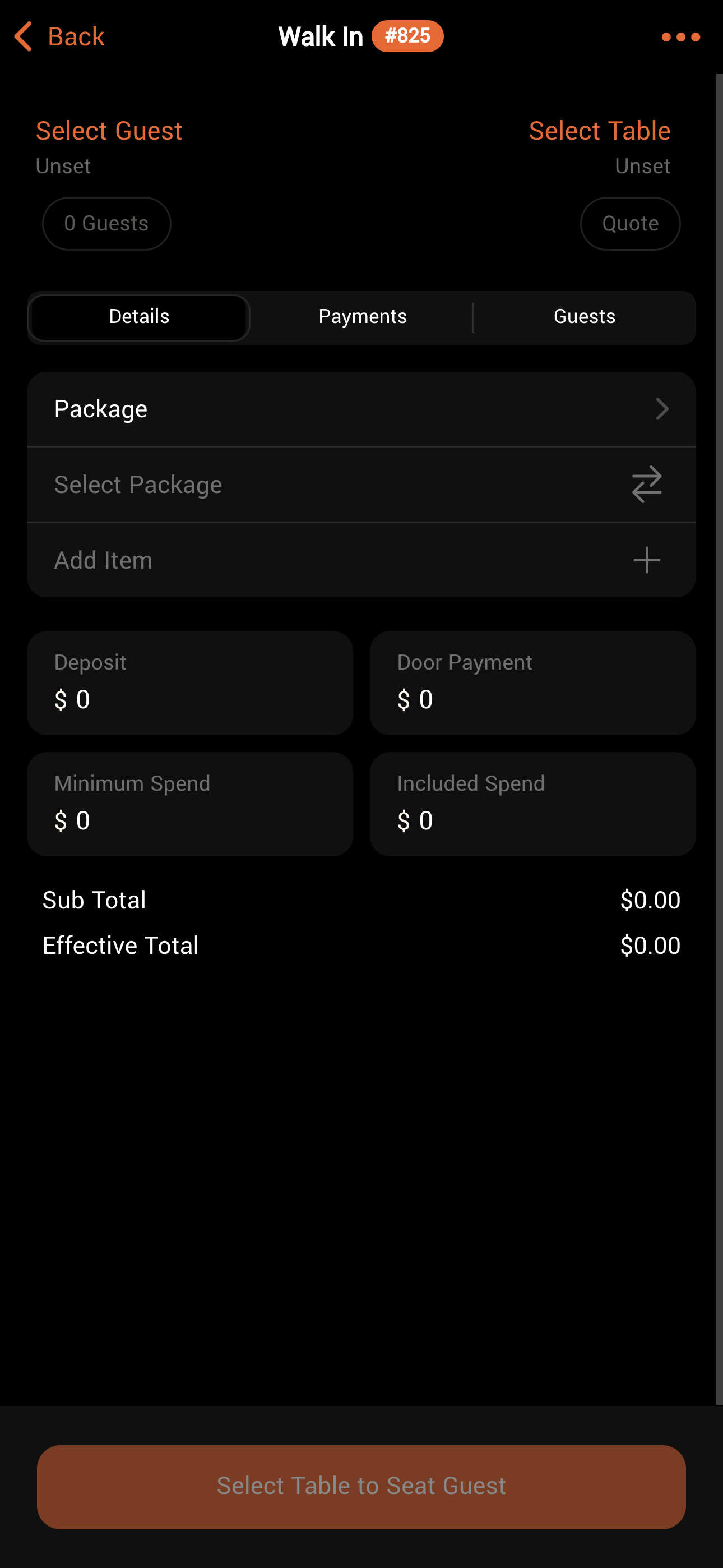 Be aware that items added to a package are included in the total booking cost and their individual prices will not appear on the customer’s receipt.
## Booking Payment Types
There are four fields used to collect booking payments:
| Payment | Purpose | Details |
| -------------- | --------------------------------------------------- | --------------------------------------------------------------------------------------- |
| Deposit | Paid in advance of the reservation (usually online) | Will not be shown in reporting if the **"Hide Deposits from reporting"** setting is ON. |
| Door Payment | The amount payable at the door | May be the cover charge or the remaining balance for a package. |
| Minimum Spend | The amount the table must spend during their visit | Does not include Deposit or Door Payment |
| Included Spend | Credit for use in the venue | Can offset door payments or deposits if paid upfront and are redeemable on purchases |
Be aware that items added to a package are included in the total booking cost and their individual prices will not appear on the customer’s receipt.
## Booking Payment Types
There are four fields used to collect booking payments:
| Payment | Purpose | Details |
| -------------- | --------------------------------------------------- | --------------------------------------------------------------------------------------- |
| Deposit | Paid in advance of the reservation (usually online) | Will not be shown in reporting if the **"Hide Deposits from reporting"** setting is ON. |
| Door Payment | The amount payable at the door | May be the cover charge or the remaining balance for a package. |
| Minimum Spend | The amount the table must spend during their visit | Does not include Deposit or Door Payment |
| Included Spend | Credit for use in the venue | Can offset door payments or deposits if paid upfront and are redeemable on purchases |